The Best Budget Monitors for a Home Office
All thirteen were under US$350 when I checked on 12 August 2026, and they are ranked for eight hours of documents and video calls rather than for frame rates. Vote them around if your desk disagrees. Every price came off the maker's own US site that day, and nothing here was listed above the ceiling. The order weights four things: panel type, pixel density, how far the stand actually travels, and whether one USB-C cable carries power and video together. Ties go to whichever one a buyer is least likely to regret in year three. Left out: laptops, which have a list of their own, monitor arms and desk accessories, and several well-known badges whose makers publish no US price at all, which is a strange wall to hit on a list about spending less. Seven makers survived that, which is the honest shape of this market.
Dell 27 Plus 4K USB-C Monitor S2725QC is #1 on “The Best Budget Monitors for a Home Office”.
- 1
Dell 27 Plus 4K USB-C Monitor S2725QC
Sharpest thing on this list at 3840 x 2160 across 27 inches, and at 150 percent scaling the text stops looking like pixels and starts looking like print. One cable does the rest: a USB-C port with 65W power delivery carries the picture and the charge together. IPS panel, 99 percent sRGB, and a stand that goes up, down, round and into portrait.
 Dell 27 Plus 4K USB-C Monitor - S2725QC | Dell USA27-inch 4K USB-C monitor with up to 120Hz refresh rate and dual 5W speakers for elevated entertainment.https://www.dell.com/en-us/shop/dell-27-plus-4k-usb-c-monitor-s2725qc/apd/210-brnc/monitors-monitor-accessories
 - 2
Samsung ViewFinity S80UA
Charging and video down one wire is the whole point here, and a USB-C port with 90W charging keeps a big laptop fed while the UHD IPS panel does the work. Ninety watts is more headroom than this bracket usually offers. The stand tilts, swivels and pivots, so leveling the top edge with your eyes takes about ten seconds. It's matte, sharp and unfussy.
 Shop Our Best Monitors | Smart, Gaming, 4K UHD | Samsung USABrowse and compare all Samsung Monitors including Odyssey Gaming Monitors, Ultra Wide Monitors, ViewFinity 4K Monitors, Smart Monitors, and more.https://www.samsung.com/us/computing/monitors/uhd-and-wqhd/27-uhd-monitor-with-usb-c-ls27a800ujnxgo/
 - 3
ViewSonic VG2758-2K
Real docking hardware rather than a USB-C port with ambitions: 100W of power delivery, an RJ45 Ethernet jack and a five-port USB hub, so one cable replaces four. The 27-inch QHD IPS panel runs at 100Hz and the stand does height, tilt, swivel and pivot. Wired Ethernet on a monitor sounds dull right up until the Wi-Fi drops mid-call.
 ViewSonic VG2758-2K339.99 USDVersatile Monitor: 27 Inch Full HD (2560x1440p) IPS docking monitor with thin bezels and 100Hz refresh rate
Single-Cable Daisy Chain: Streamline your multi-monitor setup with USB-C connectivity for fast data, audio and video transfer, 100W charging over one cable
Ergonomic Stand: Advanced ergonomics (tilt, swivel, rotate and height) for all-day comfort
Versatile Stand: Easy-to-install quick release stand with carrying handle and client mount
Flexible Connectivity: The VG2758-2K supports PC, Mac and more with USB-C, RJ45, HDMI, DisplayPort (Daisy Chain), USB inputs
Enhanced Viewing Comfort: Flicker-Free technology and Blue Light Filter for reduced eye fatiguehttps://www.viewsonic.com/us/vg2758-2k.html
ViewSonic VG2758-2K339.99 USDVersatile Monitor: 27 Inch Full HD (2560x1440p) IPS docking monitor with thin bezels and 100Hz refresh rate
Single-Cable Daisy Chain: Streamline your multi-monitor setup with USB-C connectivity for fast data, audio and video transfer, 100W charging over one cable
Ergonomic Stand: Advanced ergonomics (tilt, swivel, rotate and height) for all-day comfort
Versatile Stand: Easy-to-install quick release stand with carrying handle and client mount
Flexible Connectivity: The VG2758-2K supports PC, Mac and more with USB-C, RJ45, HDMI, DisplayPort (Daisy Chain), USB inputs
Enhanced Viewing Comfort: Flicker-Free technology and Blue Light Filter for reduced eye fatiguehttps://www.viewsonic.com/us/vg2758-2k.html - 4
Dell Pro P2426HE
Best pure dock in the group, and that is what carries it this high. A USB-C upstream port with 100W power delivery, gigabit Ethernet built in, two USB-C and two USB-A ports downstream, and a stand that moves in every direction including vertical. Pixel density is the trade: 1920 x 1080 across 23.8 inches loses to the 1440p panels below it, and one cable feeding a laptop wins that argument anyway. It runs at 120Hz.
Dell Pro P 24-Inch USB-C Hub Monitor - P2426HE | Dell USAEquipped for seamless productivity, this 23.8-inch FHD hub monitor offers extensive connectivity, up to 100W of power delivery, and TÜV-certified 4-star eye comfort.https://www.dell.com/en-us/shop/dell-pro-p-24-usb-c-hub-monitor-p2426he/apd/210-bvsp/monitors-monitor-accessories
- 5
Dell Plus S2725DC
Cheapest way here to get 2560 x 1440 and USB-C on the same panel, with a stand that does height, pivot, tilt and swivel to go with it. IPS, 99 percent sRGB, 65W over the single cable, and a pop-out quick access port on the front edge that saves crawling under the desk to find a USB socket. The 144Hz is a bonus nobody buying this needs.
Dell Plus 27 Inch QHD USB-C Monitor - S2725DC | Dell USAElevate all your entertainment needs with this 27-inch QHD monitor. Featuring a 144Hz refresh rate, USB-C connectivity, built-in speakers, and TÜV 4-star certification for eye comfort.https://www.dell.com/en-us/shop/dell-27-plus-qhd-usb-c-monitor-s2725dc/apd/210-btgn/monitors-monitor-accessories
- 6
Lenovo L27h-4A
Quietly the most sensible 27-inch QHD panel in this bracket. IPS at 100Hz, a USB-C port with 75W power delivery, and a four-port hub hanging off the back for the keyboard and the webcam. Its product page publishes no stand travel figures, which is the single reason it sits under the Dell above it. Speakers are tuned by Waves MaxxAudio and are still monitor speakers.
https://www.lenovo.com/us/en/p/accessories-and-software/monitors/home/67c0ucc6us - 7
Dell 27 Plus 4K Monitor S2725QS
Same 4K story as the S2725QC with the USB-C removed, and that omission is the entire reason it costs less. Video arrives over two HDMI 2.1 inputs and a DisplayPort 1.4 instead. Dual 5W speakers handle meeting audio adequately and music badly. Height, tilt, swivel and pivot are all present. It's worth it if your laptop already sits on a dock.
Dell 27 Plus 4K Monitor - S2725QS | Dell USA27-inch 4K monitor with up to 120Hz refresh rate and dual 5W speakers for elevated entertainment.https://www.dell.com/en-us/shop/dell-27-plus-4k-monitor-s2725qs/apd/210-brnd/monitors-monitor-accessories
- 8
ViewSonic VX2728J-2K
Gaming badge, office stand. A 130mm height adjustment range, 30 degrees of swivel and a 90-degree pivot is more travel than monitors at twice the price manage, and it sits under a 27-inch QHD IPS panel. The 180Hz refresh is surplus to a spreadsheet, but a screen that scrolls cleanly is a screen you stop noticing, which is the goal.
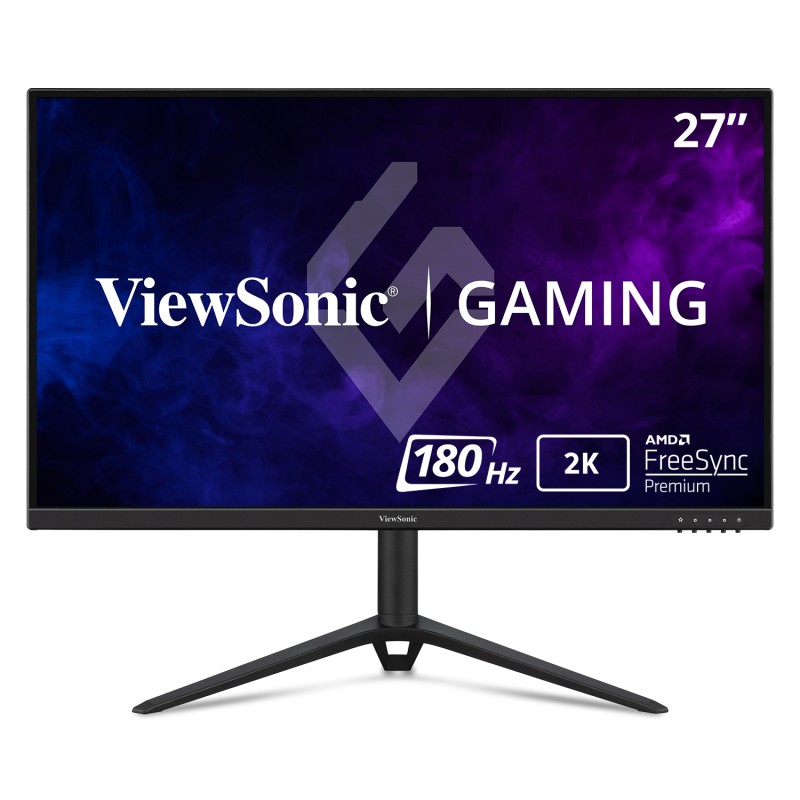 ViewSonic 27" 1440p 0.5ms 180Hz Gaming Monitor with IPS, Advanced Ergonomics, FreeSync Premium, and G-Sync Compatible | VX2728J-2K169.99 USDPremium Gaming Monitor: 27 Inch QHD (2560x1440p) IPS gaming monitor with thin bezels
Maximized Gameplay: 180Hz refresh rate and 0.5ms (MPRT) response time for ultimate gaming experience
Ultra-Smooth Gaming: FreeSync Premium and NVIDIA G-Sync compatibility enables fluid and tear-free gameplay
Ergonomic Stand: Advanced ergonomics with tilt, swivel, rotate and height adjustment for all-day comfort
HDR10 Content Support: For deep contrast, rich color, and vibrant details
Flexible Connectivity: The VX2728J-2K supports laptops, PCs, Macs and more with HDMI, and DisplayPort inputshttps://www.viewsonic.com/us/vx2728j-2k.html
ViewSonic 27" 1440p 0.5ms 180Hz Gaming Monitor with IPS, Advanced Ergonomics, FreeSync Premium, and G-Sync Compatible | VX2728J-2K169.99 USDPremium Gaming Monitor: 27 Inch QHD (2560x1440p) IPS gaming monitor with thin bezels
Maximized Gameplay: 180Hz refresh rate and 0.5ms (MPRT) response time for ultimate gaming experience
Ultra-Smooth Gaming: FreeSync Premium and NVIDIA G-Sync compatibility enables fluid and tear-free gameplay
Ergonomic Stand: Advanced ergonomics with tilt, swivel, rotate and height adjustment for all-day comfort
HDR10 Content Support: For deep contrast, rich color, and vibrant details
Flexible Connectivity: The VX2728J-2K supports laptops, PCs, Macs and more with HDMI, and DisplayPort inputshttps://www.viewsonic.com/us/vx2728j-2k.html - 9
ViewSonic VG2458
Twenty-four inches is the right size for a second screen, and this one docks: 100W over USB-C, an Ethernet port, a five-port hub and DisplayPort daisy-chaining out to another panel. The display itself is unremarkable, 1920 x 1080 IPS at 100Hz on a full ergonomic stand. It replaces a separate dock, which is where the arithmetic starts working.
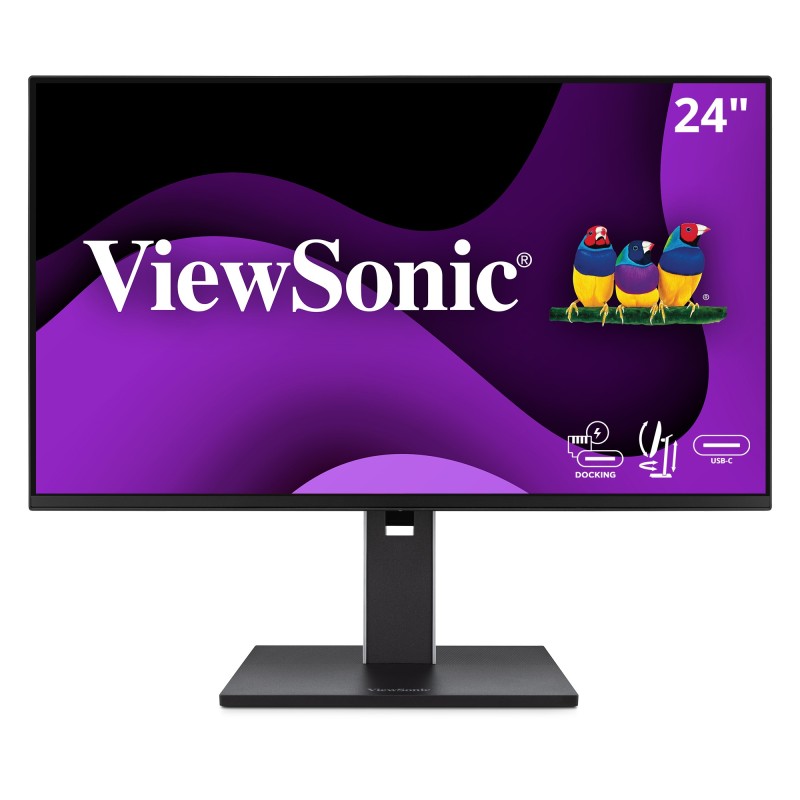 ViewSonic VG2458279.99 USDVersatile Monitor: 24 Inch Full HD (1920x1080p) IPS docking monitor with thin bezels and 100Hz refresh rate
Single-Cable Daisy Chain: Streamline your multi-monitor setup with USB-C connectivity for fast data, audio and video transfer, 100W charging over one cable
Ergonomic Stand: Advanced ergonomics (tilt, swivel, rotate and height) for all-day comfort
Versatile Stand: Easy-to-install quick release stand with carrying handle and client mount
Flexible Connectivity: The VG2458 supports PC, Mac and more with USB-C, RJ45, HDMI, DisplayPort (Daisy Chain), USB inputs
Enhanced Viewing Comfort: Flicker-Free technology and Blue Light Filter for reduced eye fatiguehttps://www.viewsonic.com/us/vg2458.html
ViewSonic VG2458279.99 USDVersatile Monitor: 24 Inch Full HD (1920x1080p) IPS docking monitor with thin bezels and 100Hz refresh rate
Single-Cable Daisy Chain: Streamline your multi-monitor setup with USB-C connectivity for fast data, audio and video transfer, 100W charging over one cable
Ergonomic Stand: Advanced ergonomics (tilt, swivel, rotate and height) for all-day comfort
Versatile Stand: Easy-to-install quick release stand with carrying handle and client mount
Flexible Connectivity: The VG2458 supports PC, Mac and more with USB-C, RJ45, HDMI, DisplayPort (Daisy Chain), USB inputs
Enhanced Viewing Comfort: Flicker-Free technology and Blue Light Filter for reduced eye fatiguehttps://www.viewsonic.com/us/vg2458.html - 10
MSI PRO MP275Q
Pixel density is what separates this from the other cheap 27-inch screens here: 2560 x 1440 on an IPS panel at 100Hz, with a 1ms response time and TUV eye-care certification. Movement is the compromise, since the listed stand adjustment is tilt, so plan on mounting it if your chair sits low. Speakers are built in and the warranty runs three years.
https://www.msi.com/Business-Productivity-Monitor/PRO-MP275Q - 11
Sceptre E248W-FP100T
Nobody expects a USB-C 3.1 port on a screen this cheap, and it sits alongside HDMI 2.0 and DisplayPort 1.2 on the input panel. No charging wattage is published, though, so treat it as a video input and not as a dock. IPS, 1920 x 1080 at up to 100Hz across 23.8 inches, a 100mm VESA pattern and two 2W speakers.
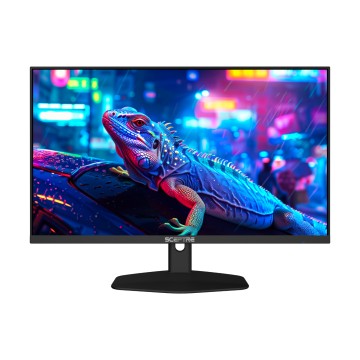 E248W-FP100TIPS Serieshttps://www.sceptre.com/Monitors/IPS-Series/E248W-FP100T-23-8-PRIME-Full-HD-100Hz-IPS-LED-Monitor-product1507category12category99.html
 - 12
LG 27MS550-B
Cheap 27-inch panels usually come on a wobbling plastic post, and this one at least offers height as well as tilt. Check the mounting before you commit, though: it carries a 75 x 75 mm VESA pattern rather than the more common 100 x 100. IPS at 1920 x 1080 and 100Hz, two HDMI inputs, a headphone jack, and a detachable base.
27" IPS Full HD Monitor - 27MS550-B | LG USADiscover the 27" IPS Full HD Monitor that features OnScreen Control and Built-In Speakers. Find reviews, specs, and more for 27MS550-B.https://www.lg.com/us/monitors/lg-27ms550-b-fhd-monitor
- 13
ViewSonic VX2716A
Last place is no insult. It is a 27-inch IPS screen with a 1,300:1 static contrast ratio for roughly what a decent keyboard costs, and 300 candelas is enough for a room with the blinds half down. The stand is the compromise: the listed adjustment is a tilt range of 5 degrees forward and 22 back. It's good as a reference screen beside a better one.
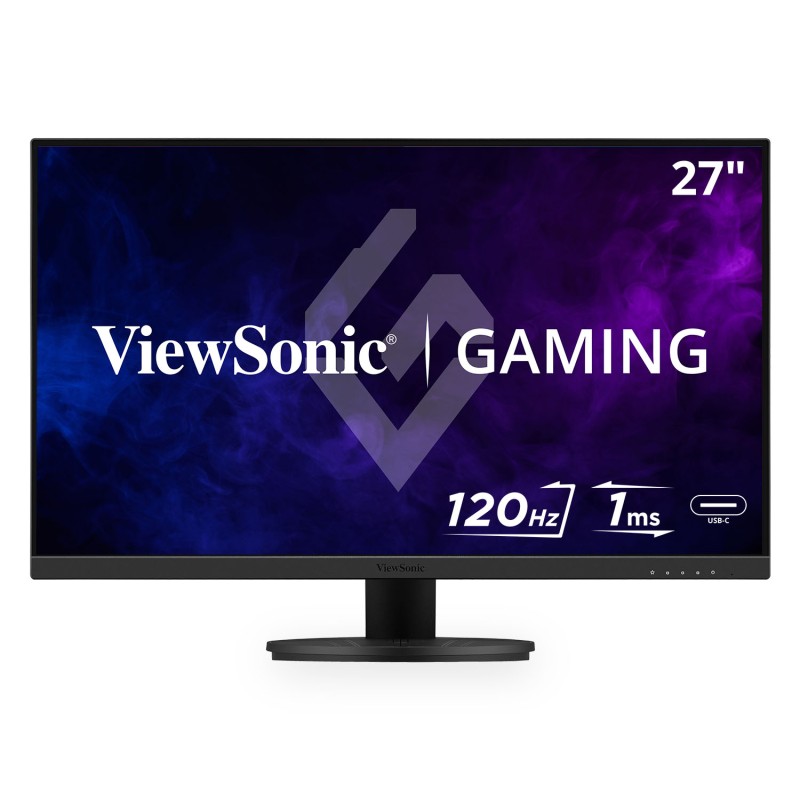 ViewSonic VX2716A129.99 USDSee The Difference: 27 Inch Full HD (1920x1080p) IPS gaming monitor with thin bezels
Maximized Gameplay: 120Hz refresh rate and 1ms (MPRT) response time for ultimate gaming experience
Ultra-Smooth Gaming: Variable Refresh Rate technology enables fluid and tear-free gameplay
Enhanced Viewing Comfort: Flicker-Free technology and Blue Light Filter for reduced eye fatigue
Flexible Connectivity: The VX2716A supports laptops, PCs, Macs and more with HDMI 14, USB C and DisplayPort inputshttps://www.viewsonic.com/us/vx2716a.html
ViewSonic VX2716A129.99 USDSee The Difference: 27 Inch Full HD (1920x1080p) IPS gaming monitor with thin bezels
Maximized Gameplay: 120Hz refresh rate and 1ms (MPRT) response time for ultimate gaming experience
Ultra-Smooth Gaming: Variable Refresh Rate technology enables fluid and tear-free gameplay
Enhanced Viewing Comfort: Flicker-Free technology and Blue Light Filter for reduced eye fatigue
Flexible Connectivity: The VX2716A supports laptops, PCs, Macs and more with HDMI 14, USB C and DisplayPort inputshttps://www.viewsonic.com/us/vx2716a.html
How this list was ranked
Readers rank this list by voting items up and down. Items are ordered by reader votes.